Pular para o conteudo principal
Full Recoil
Home
Products
FAQContact
My Account

Footer

FULL RECOIL

Recoil control script specialists since 2015. OHS (Off-Hardware Script) technology, undetectable by VAC, Easy Anti-Cheat and other anti-cheat systems, with active support for CS2, PUBG, Apex Legends and other competitive titles.

Useful Links

  • Security
  • Contact
  • Refund Policy
  • Terms and Conditions
  • Work With Us

Our History

2015Foundation
94k+Orders
4.9Rating

Proven trust in every sale and in our community satisfaction.

Payment Methods

PixPixMercado PagoMercado PagoStripeCriptoCriptoCard
Developed in BrazilGMT -03:00
© 2015–2026 Full Recoil. All rights reserved.
  1. GUIDE
  2. CS2 VALVE

Complete guide to CS2 Valve

Configure resolution, sensitivity, weapon selection and recoil control to keep a consistent flow on official Valve servers.

Before you start - READ THIS FIRST

The file is password-protected. You need to use 7-Zip or WinRAR to extract it. The Windows Defender may flag the file as a virus due to the software's protection and encryption. It's safe and recommended to add it to the exclusion list.

1. Extract the password-protected file

2. Add to antivirus exclusion

Visual Tutorial

See the full CS2 Macro setup flow

Follow each step in sequence, from extracting the file to choosing your weapon selection method.
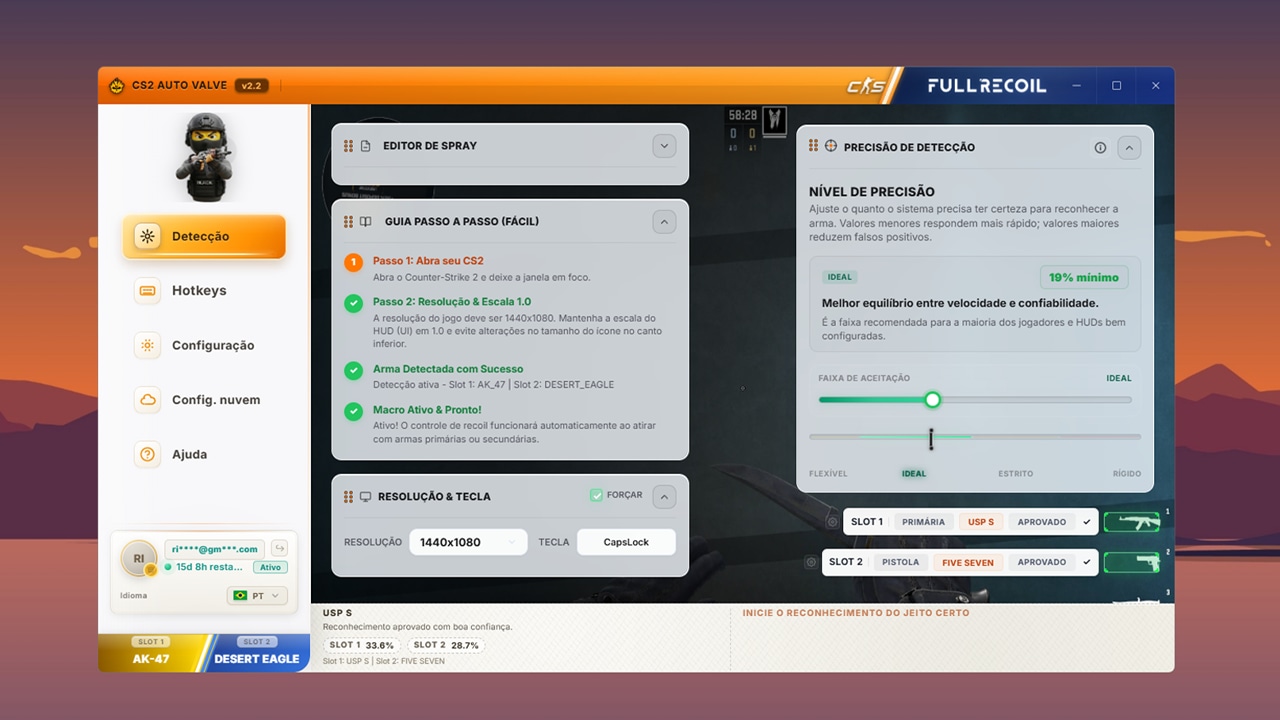
1
CS2 Macro main panel with automatic weapon detection
IMPORTANT
Step 1

What is CS2 Macro?

Automatically compensates for weapon recoil in CS2. When you shoot, the weapon "jumps". The Macro moves your mouse in the opposite direction to compensate for this movement.

18 WEAPONS: Full support for rifles, SMGs, and snipers

VOICE: Announces which weapon you selected

KEYS: Quick swap via custom hotkeys

AUTO: Automatically detects the equipped weapon
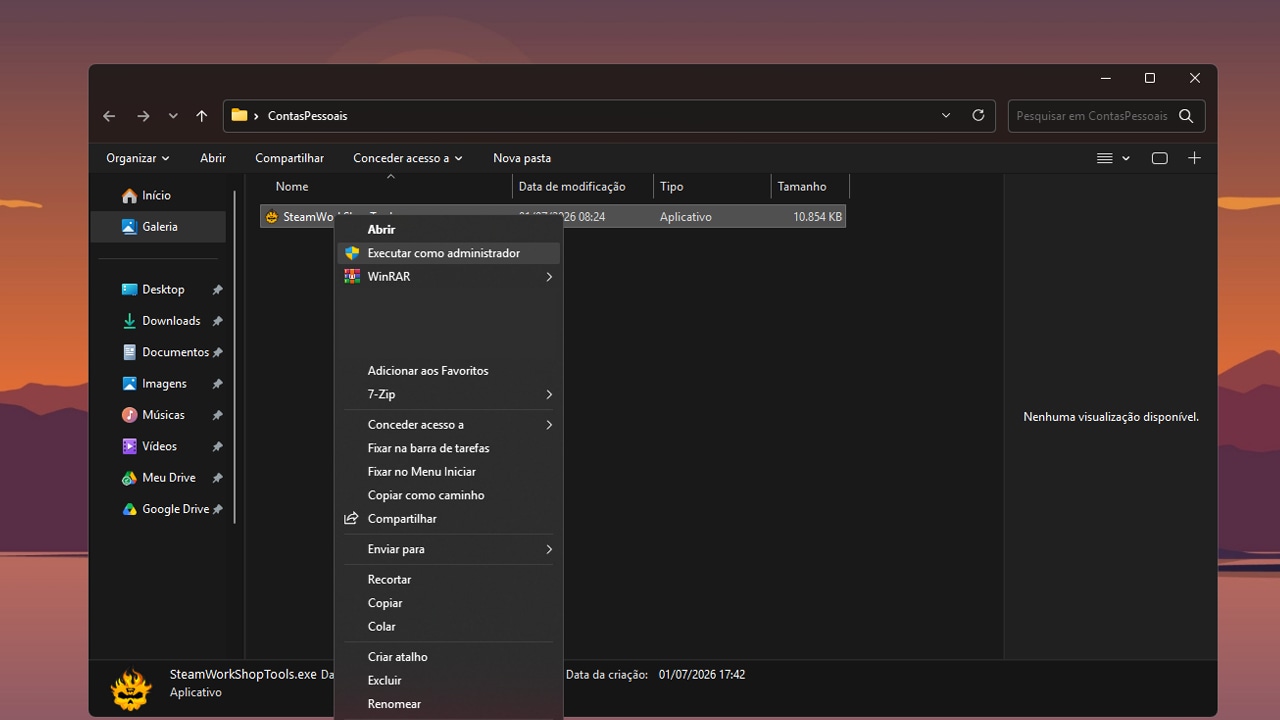
2
Steps to run the CS2 Macro as administrator
SIMPLE
Step 2

No installation needed, just run it

No installation needed - just run it!

STEP 1: Create a folder

STEP 2: Right-click the .exe

STEP 3: Run as administrator

READY: Now you can use it

Important warning

Important: Always run as Administrator to function properly.
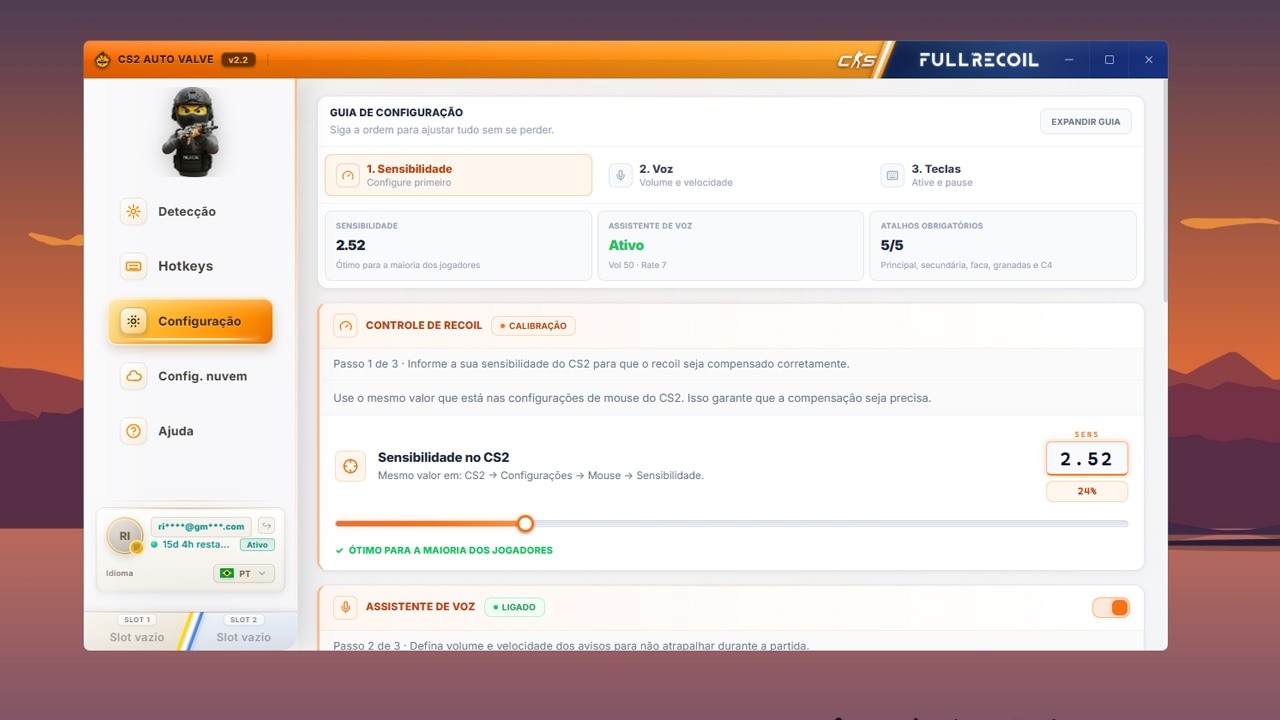
3
CS2 Macro sensitivity configuration screen
Sensitivity
Step 3

Use the same sensitivity as your CS2

Use the same sensitivity as your CS2!

Click on "SETTINGS"

In the "SENSITIVITY" section, use the slider or type the value

Click "Save"

Find sensitivity in CS2: CS2 → Settings → Keyboard/Mouse → Mouse Sensitivity
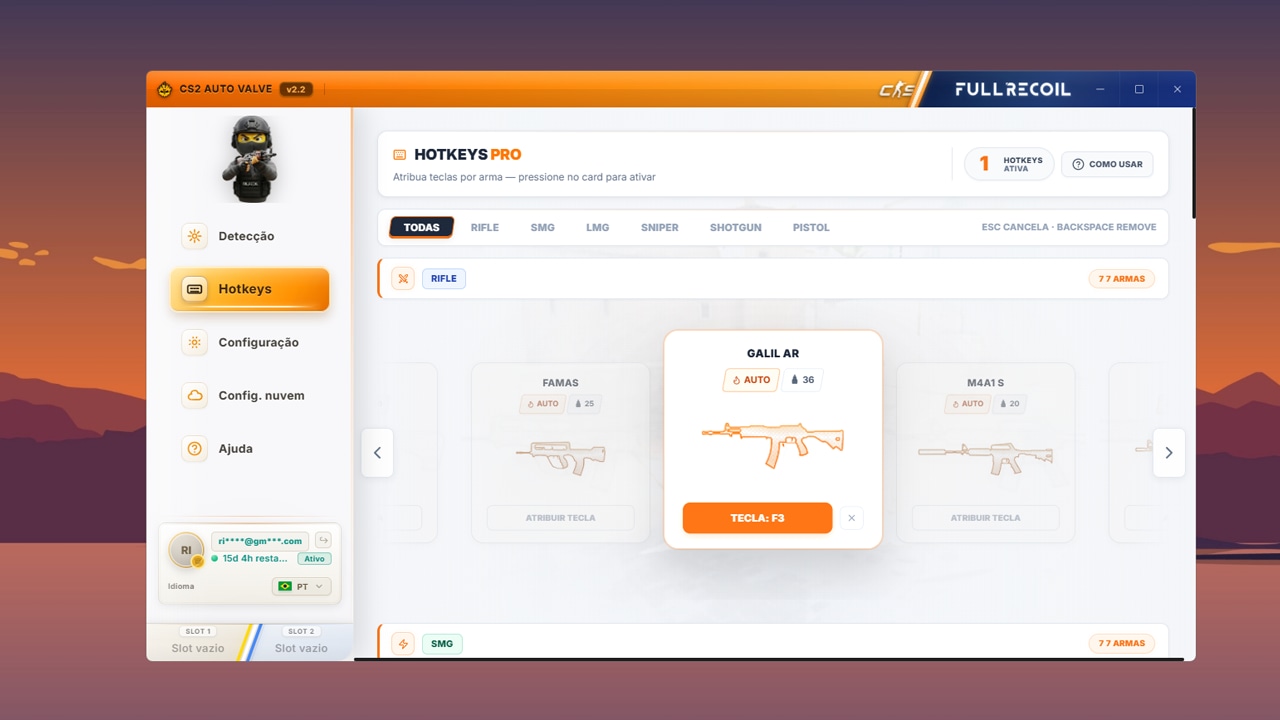
4
Comparison of the CS2 Macro weapon selection methods
CHOOSE YOURS
Step 4

3 ways to select weapons

Use Click or Hotkey if your resolution isn't supported by automatic detection.

Click (EASY): Click on the weapon in the interface. Works on any resolution.

Hotkey (FAST): Press F1-F12 (or another key). Instant swap.

Important warning

Detection (AUTO): Detects which weapon you picked up. Press TAB. Requires specific resolution and CS2 UI at 1.0.

Supported resolutions: 1440x1080 (4:3), 1920x1080 (16:9 Full HD), 2560x1440 (16:9 2K).

Usage tips

Essential

Set the correct sensitivity
Use the same resolution in-game and in the Macro
Always run as Administrator
Keep the Macro open while playing

In-game

Press TAB to detect weapon
Use hotkeys to swap quickly
Green status = active
Red status = inactive

Common problems

Continue setup with related links

Use these shortcuts to open the product page, compare with the GamersClub version or return to the full FullRecoil guide index.

Product

Open the CS2 Valve product page

Review commercial details, trial information and product context before returning to the guide.

Related guide

Compare with CS2 GamersClub

Understand the GamersClub-specific flow and when it differs from the Valve setup.

Index

View all tutorials

Open the full guide hub for PUBG, CS2 and other related products.

CS2 Valve: Guia Completo de Configuracao, Sensibilidade e Recoil | FullRecoil