
See the full journey before opening the tabs
Instead of relying only on text, the tutorial now shows the complete setup flow in sequence. When you scroll to the final screens, this section is already ready to receive all images.
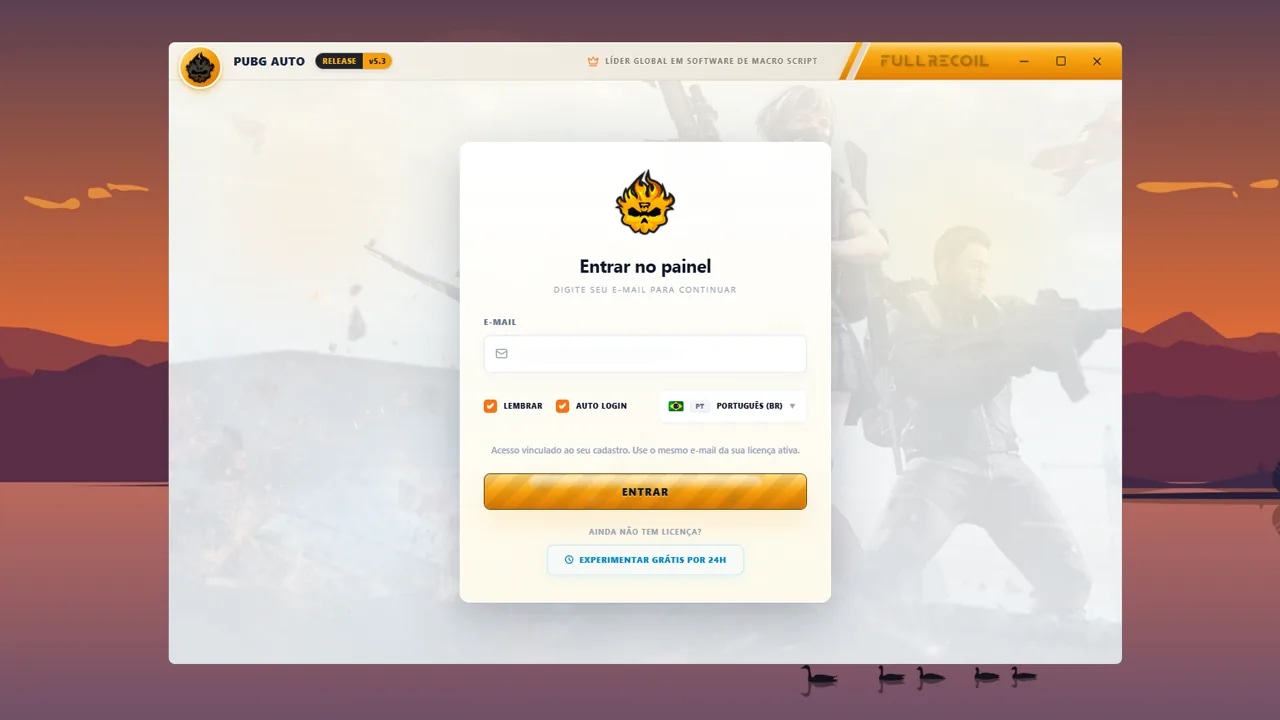
Log in before starting the setup
The first step is simply accessing the macro correctly. Log in with your account and wait for the panel to load before changing any game settings.
Use the correct account and complete login before changing any settings.
Wait for the main panel to fully open to confirm the session loaded normally.
Only proceed to the next steps when the macro is open and responding without errors.
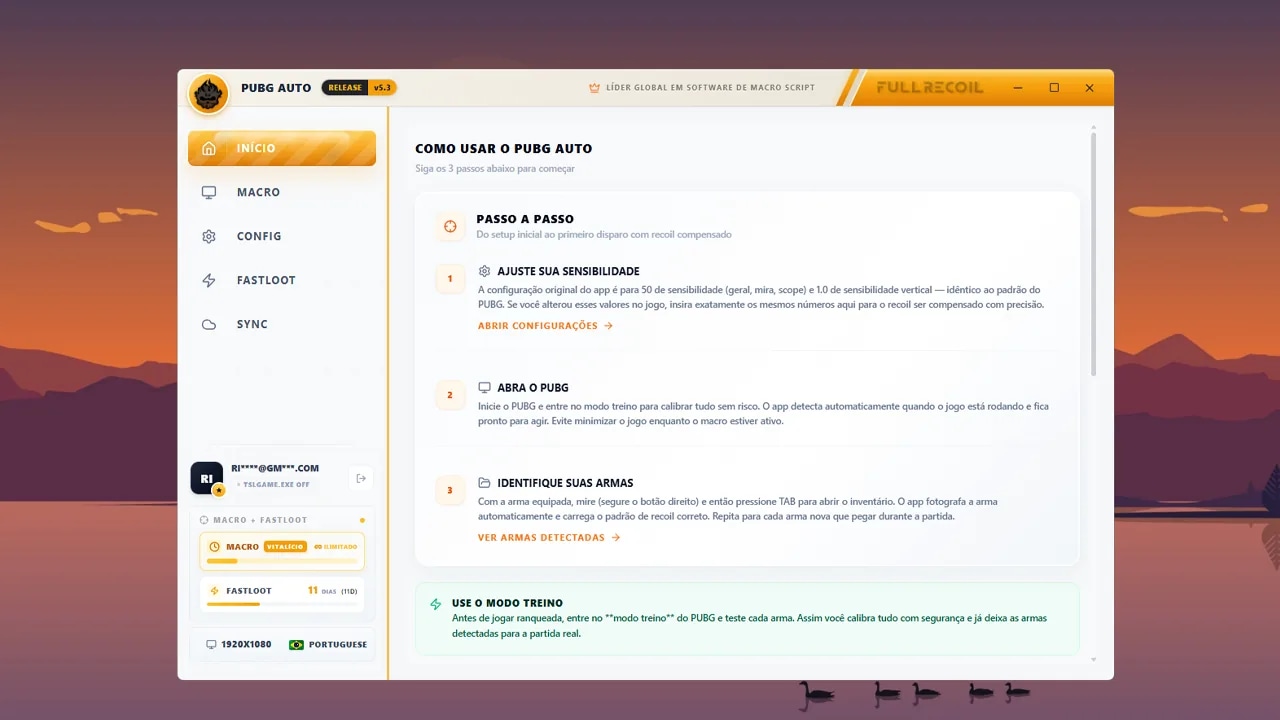
Check language and resolution before proceeding
This screen validates the two most important points for visual reading: language and resolution. If either of them differs from what is set in PUBG, the product will not work correctly.
Check which language is active in the game and set the macro to exactly the same language.
Verify the resolution shown in the panel and keep the same value configured in PUBG.
If language or resolution are different, fix this first before testing detection or recoil.
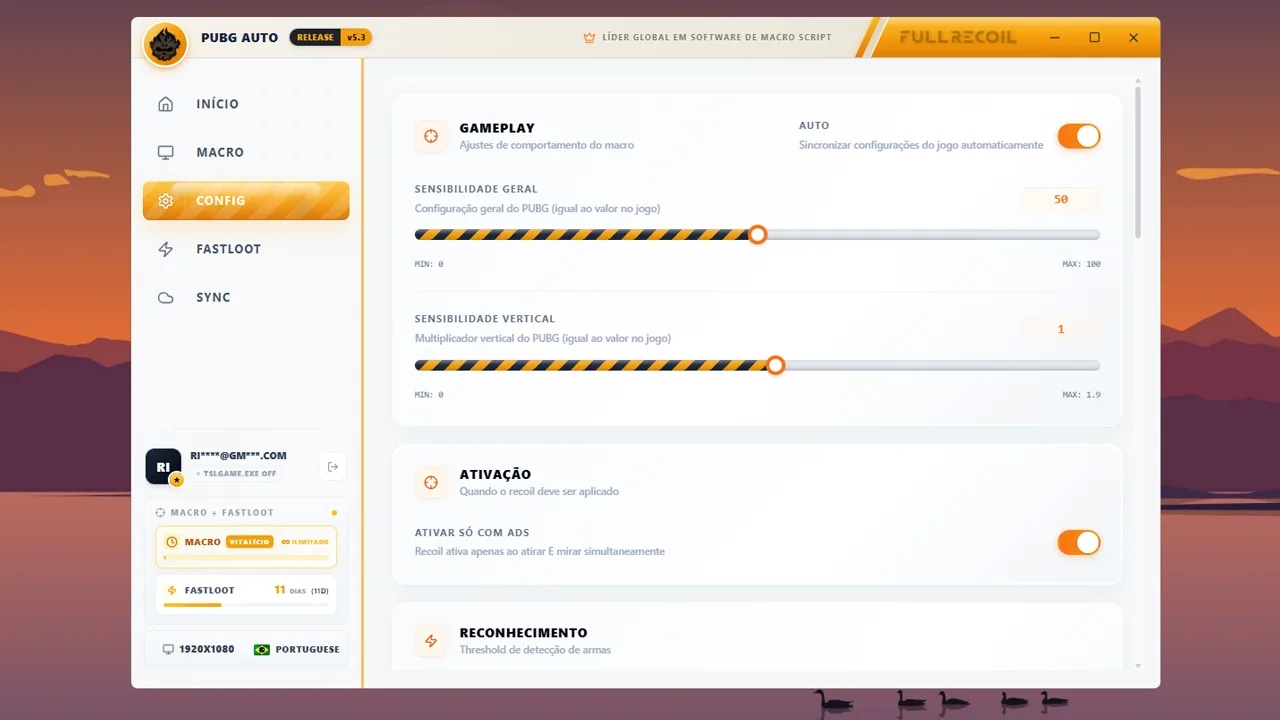
Adjust the sensitivity to keep recoil balanced
This step defines the overall compensation intensity. If the base is wrong, the recoil may pull more or less than it should, even with the product working correctly.
Use the default values as a starting point: general at 50 and vertical at 1.0. This setting needs to be consistent across the entire configuration, not just the first field.
If with 50 the control is still pulling too little, you can reduce the sensitivity in the macro and keep it higher in the game. Example: macro at 40 and PUBG at 50 to increase compensation strength.
This setting is global. Changing the base sensitivity impacts the behavior of all weapons in the product.
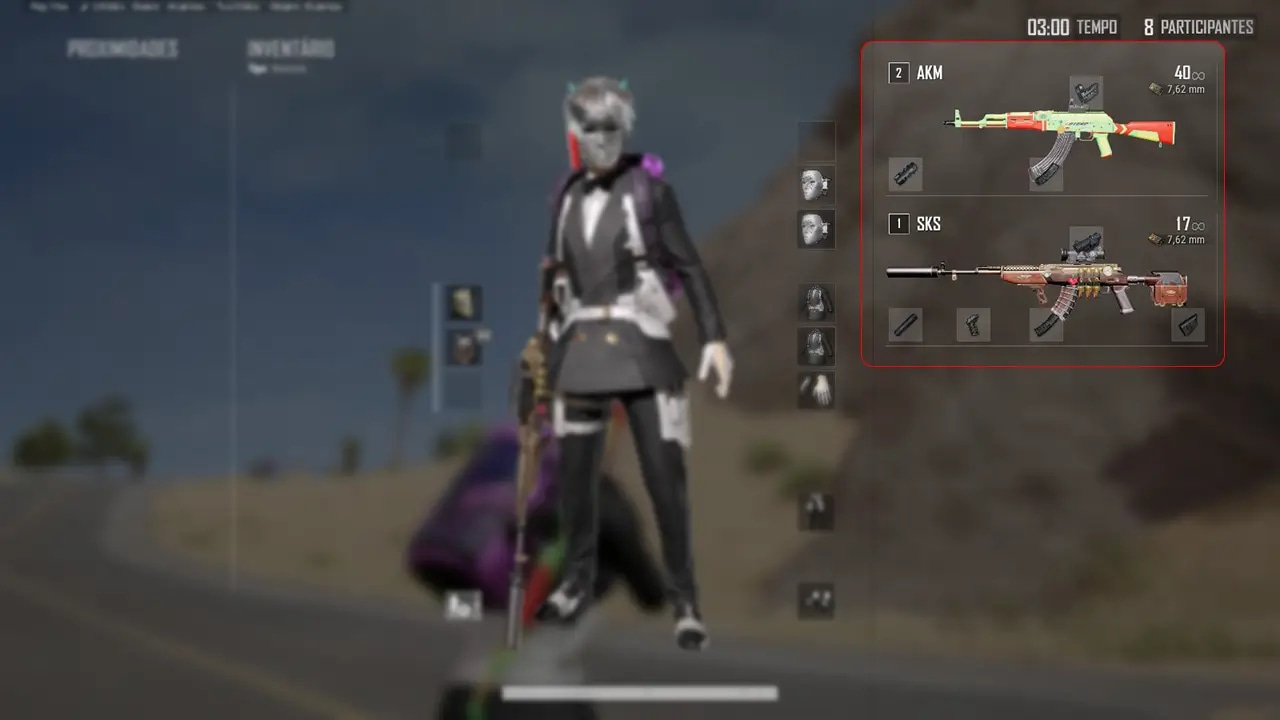
Open inventory with TAB to start reading
When you open the inventory, the system captures the screen and compares elements with the product's visual database. This is how it identifies the weapon, accessories and current configuration to apply the correct compensation.
Enter the match and press TAB to open the inventory.
As soon as the screen opens, the macro performs visual reading and updates the detected weapon and accessories in the panel.
Repeat this reading whenever you switch weapons or accessories. A quick flash of the inventory is usually enough for recognition.
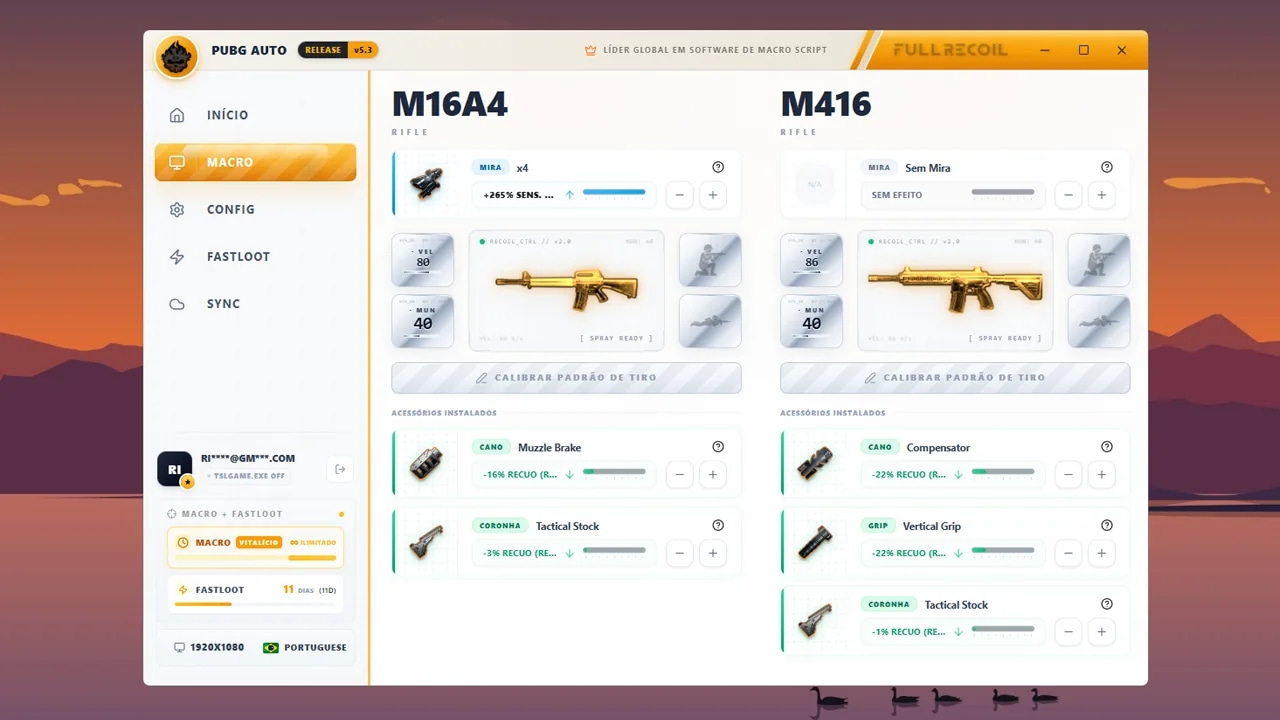
Detection and weapon adjustment panel
Here you can track everything identified for the current weapon: weapon reading, equipped scope, applied accessories and global compensation adjustment. This panel shows how the macro is interpreting your loadout at that moment.
Scopes can increase compensation intensity. When there is a positive value in red, it indicates that configuration needs more recoil force to maintain correct control.
Barrel, grip, stock and stance can reduce the needed compensation. That's why some adjustments appear with negative values, showing the weapon will pull less downward in that combination.
NOTE: do not use two weapons of the same type at the same time, such as two M416s. In this situation, the macro always considers the first detected weapon. If the first has a 6x scope and the second has no scope, compensation will be applied as if both had 6x.
The weapon's global adjustment should only be changed if you really know what you're doing, because it changes the compensation base for that detected weapon.
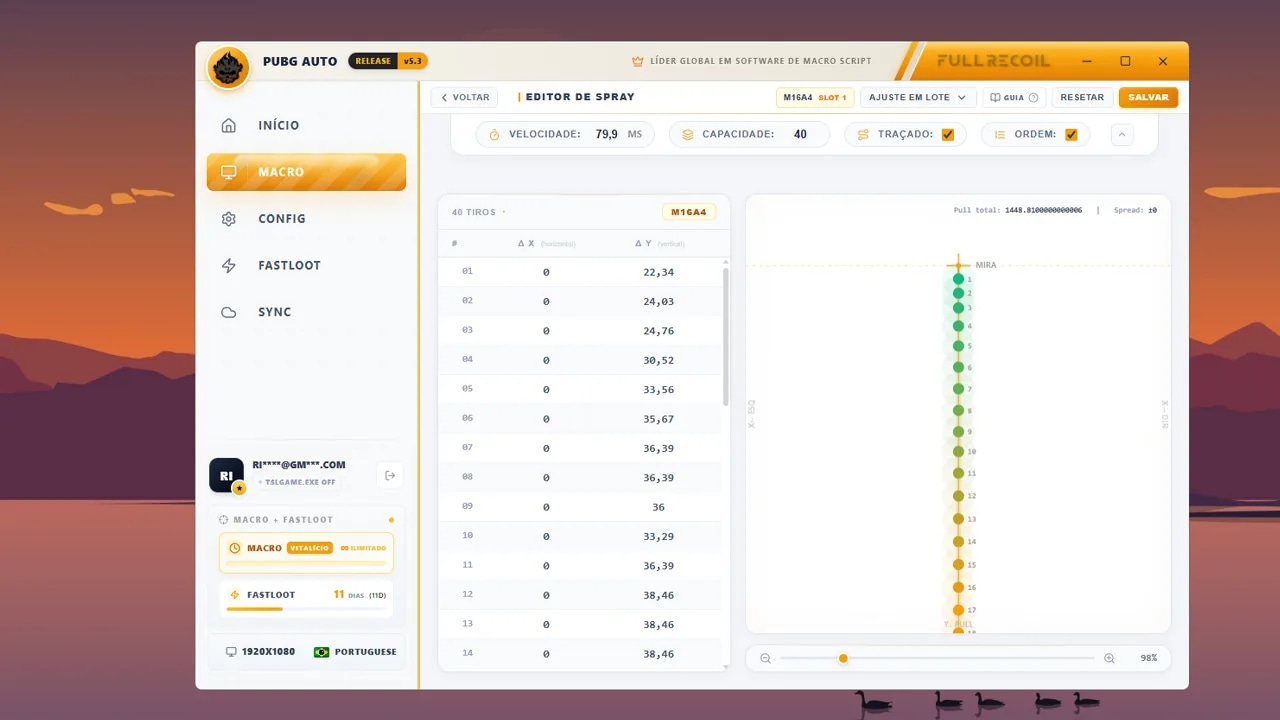
Recoil pattern control panel
Here you edit the recoil behavior bullet by bullet. The sequence starts from the first shot and continues to the maximum limit of that weapon, considering extended magazine capacity when applicable.
Each line has two controls: horizontal and vertical. The value defines how many pixels the system will compensate at that specific point in the shot sequence.
The product comes with a functional default configuration, but you can manually refine this pattern. Just avoid very large jumps between values, as this can cause abrupt pulls and make the spray look artificial.
Make the adjustment, save and test the spray in the training ground before continuing to edit.
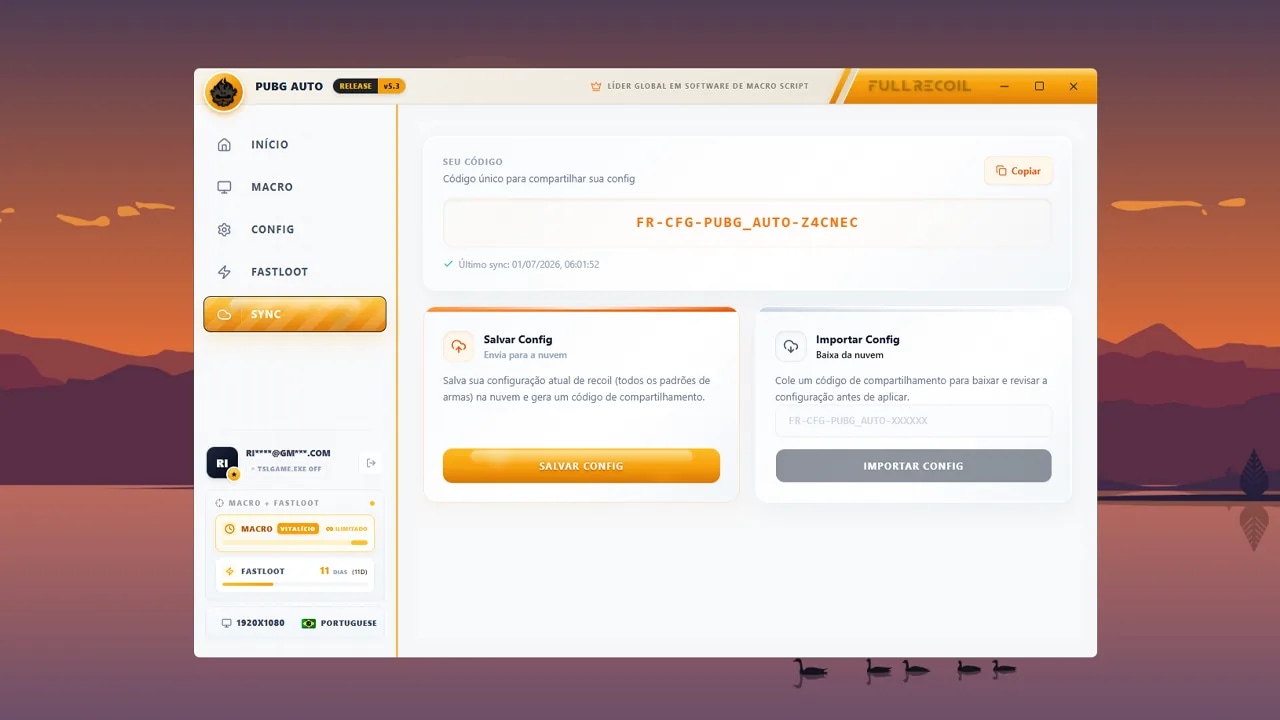
Save or share your weapon pattern CFG
In this area you can save your configuration to the server, generate a code to share your setup or import ready-made configurations. This is also where users access codes published by the community and the team on Discord.
You can import a complete weapon configuration or download only the profile of a specific weapon, depending on what makes most sense for your setup.
Alta Performance & Detecção
O sistema automático utiliza algoritmos de processamento de imagem de baixa latência para garantir que cada troca de arma seja detectada instantaneamente, permitindo que você se concentre apenas no combate.
Monitoramento em Tempo Real
Nossa tecnologia monitora constantemente os pixels da interface de inventário sem injetar código no jogo, garantindo total segurança e conformidade com os termos de serviço.
Otimização de Hardware
Otimizado para rodar em segundo plano consumindo menos de 1% de CPU, garantindo que seu FPS permaneça estável mesmo em situações de combate intenso.